
Synthesis configuration
Related information
Global view
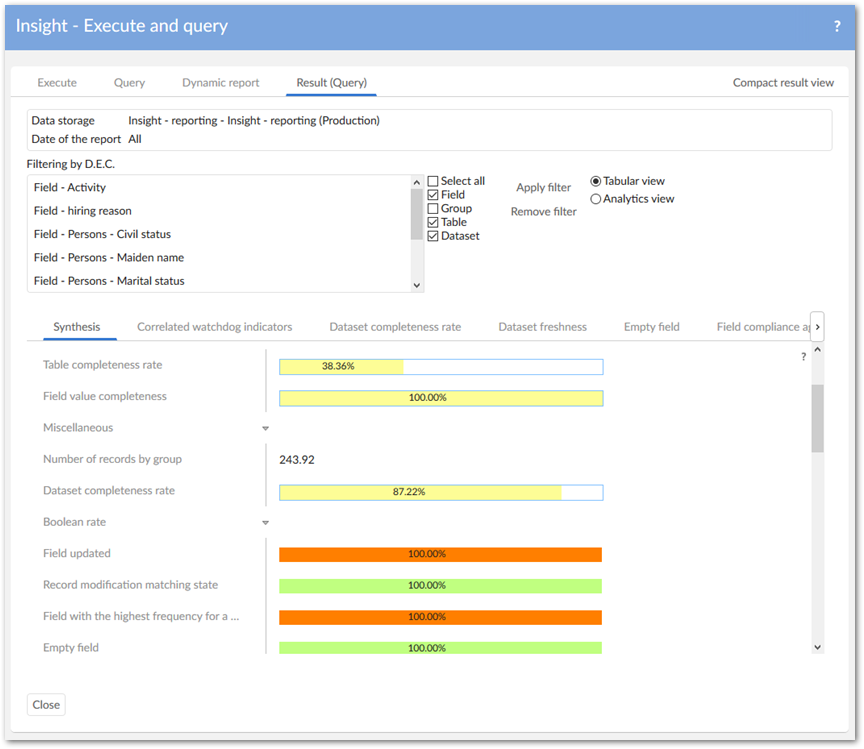
This part of the configuration allows you to configure the Synthesis view. This view brings a condensed computation of indicator results.
Synthesis classification
The Synthesis view gathers indicator results through a classification scheme. For instance you can use the Date classification to display a condensed view applied to indicators with results of Date type. You can create your own classification scheme.
Table 39: Synthesis - Synthesis classification
Synthesis preference
You can adapt colors and configure certain options used to display the Synthesis view. This customization is done by user-profile.
| Property | Definition |
|---|---|
| User profile | User-profile for which this configuration applies. |
| Synthesis template | To facilitate the configuration you can create / reuse a template that provides you with default values for customization. By default, the 'Standard' template is provided with the add-on. |
| Active | If 'True': the 'Synthesis view' is available for the user-profile. If 'False': the 'Synthesis view' is hidden for the user-profile. Default value: 'False' |
| Automatic display | If 'True': the 'Synthesis view' is computed and displayed automatically when the 'Active' property is 'True' If 'False': the 'Synthesis view' is computed and displayed on demand by the end-user and when the 'Active' property is 'True' Default value: 'False' |
| Color of True | Color for the display of boolean 'True' value. |
| Color of False | Color for the display of boolean 'True' value. |
| Color of Undefined | Color for the display of boolean 'Undefined' value. |
| Color of Rate | Color for the display of rate value. |
| Color of Rate border | Color for the display of the frame used for the rate border. |
| Option date | Option used to display the dates. |
| Sort ascending | Allows you to sort the synthesis results in a classification block by ascending or descending criteria. |
Indicator synthesis preference
You can overwrite, for a user-profile, the properties defined at the level of the Indicator for the Synthesis view.
| Property | Definition |
|---|---|
| User profile | User profile for which the configuration is applied. |
| Indicator | Indicator for which the configuration is applied. |
| Synthesis on | Indicator output to use for the synthesis display. |
| Synthesis classification | Classification to use for displaying this indicator on the 'Synthesis view'. |
Table 40: Synthesis - Indicator synthesis preference
Synthesis indicator label
You can overwrite the label to use for Synthesis view display that is defined in the Indicator definition table.
| Property | Definition |
|---|---|
| Indicator definition | The indicator definition for which the label is overwritten. |
| Label | The label to use. In case this property is empty, then the label stemming from the related 'Indicator definition' is used. |
Table 41: Synthesis - Synthesis indicator label
Synthesis template
To facilitate the configuration of the Synthesis view display, you can use the prebuilt Standard template or create your own.
Table 42: Synthesis - Synthesis template
Option date
The condensed display of Date type output indicator requires you to select which date value to use among many results. This table contains these options.
| Property | Definition |
|---|---|
| Code | The option's code. You cannot create your own option. Only the options provided with the add-on are possible. |
| Label | The option's label displayed on the 'Synthesis view'. |
Table 43: Synthesis - Option date