
Enabling data integration in workflows and perspectives
Administrators can enable add-on import, export, and transfer functionality in workflows and perspectives. These actions are available as services and actions in workflows and perspectives, respectively. See the EBX® product documentation for more information on working with perspectives and workflows.
To enable data integration in a perspective or workflow:
-
When configuring a:
-
Perspective: select the appropriate action from the drop-down menu.The add-on specific actions begin with
[ebx-addon-dint]. There are two options for each import, export and transfer type. This allows you to specify whether the action applies to the selected table, or dataset.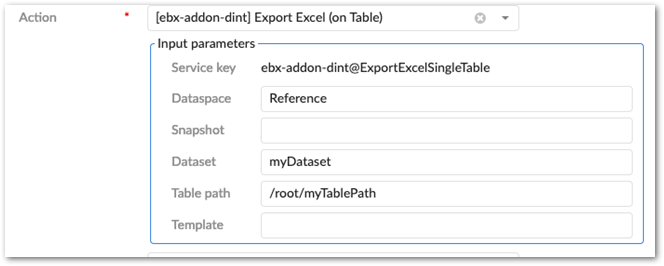
-
Workflow: select the appropriate service from the drop-down menu.The add-on specific actions begin with
[ebx-addon-dint]. There are two options for each import, export and transfer type. This allows you to specify whether the action applies to the selected table, or dataset.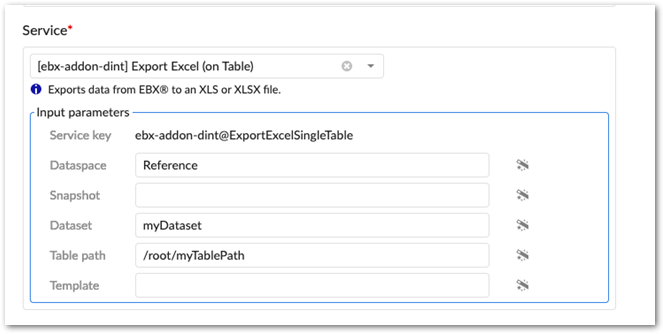
-
-
Use the required Input parameters to specify the location where you want to service or action to be active.
-
Optionally, specify a Template parameter.If you specify a template, users cannot change the template during import, export, or transfer. Additionally, you might want to keep in mind that not all users can access each template.
-
Complete remaining workflow or perspective configuration steps. See the EBX® product documentation for more information on creating workflows and perspectives and how they work.
Related information