Viewing and managing background tasks
Related information
Overview
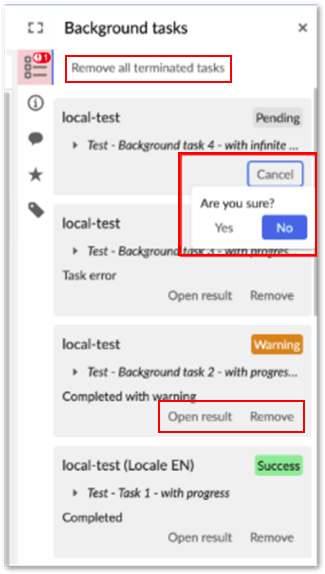
If enabled by an administrator, add-on services run as background tasks. This allows you to navigate to other locations in EBX® while a task is running. You can access in-progress, and completed tasks by expanding the sidebar, as shown in the image below. Use the:
-
Cancel button to stop an in-progress task.
-
Open result button to show the task results. If it was an export operation, you can download the exported file from the summary page.
-
Remove all terminated tasks to clear all completed tasks from the view, or clear individual tasks using their Remove button.
Note:
If a service completes before you navigate away from the page, the service results display as normal. You can also access the task from the sidebar.