
Task 5: Activating matching
The final step to setting up a configuration is to active matching on the table configuration. You only need to perform this step once per table configuration. As a best practice you can wait until creating several table configurations and enable them all at once.
Note:
If matching is enabled for multiple tables from the same data model and you need to re-activate one table, you must select and activate all of the configurations from the same model.
To enable matching:
-
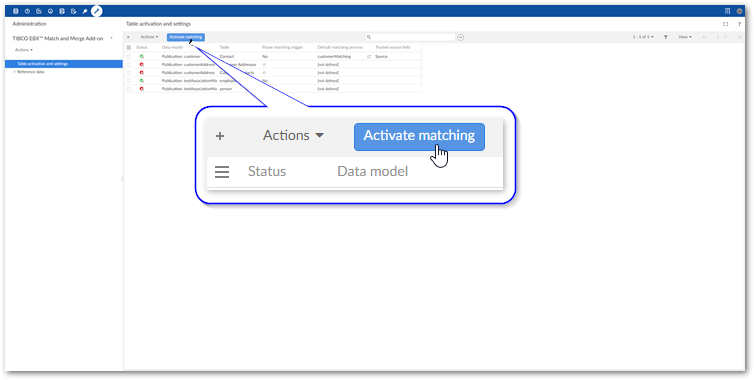
Navigate to Table activation and settings and select each configuration you want to activate. As a shortcut to activating all configurations, do not select any records.
-
Select Activate matching at the top of the screen.Part of this operation includes validating the matching configuration. You will see a validation page with any errors or warnings that you might want to address prior to using the matching configuration.
After activating matching you can use the add-on's Evaluate matching service. This service allows you to run a match on selected record and review the results to ensure they are consistent with your expectations. See Evaluating matching for more information.
Related information