
D.E.C. and Indicator administration
Related information
Global view
To help with D.E.C. administration, the following services are available on the D.E.C. (Data element concept) table:
-
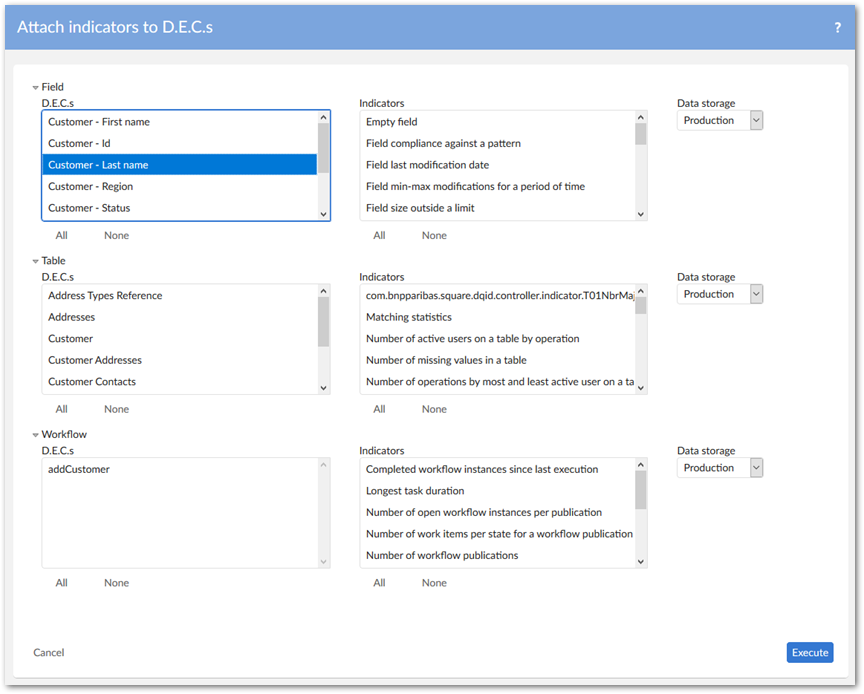
Attach indicators to D.E.C.s to automatically attach indicators to one to many D.E.Cs.
-
Check configuration to identify the D.E.C.s that are not defined.
-
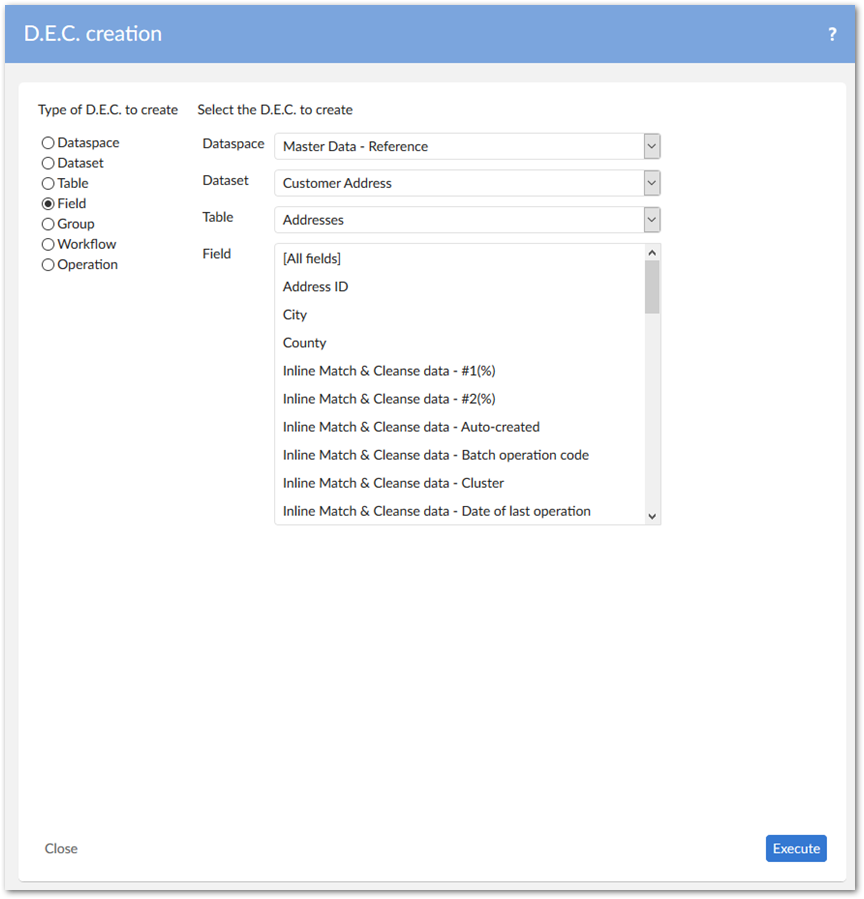
D.E.C. creation to create D.E.C. definitions.
-
Update D.E.C. labels to update labels with the names from the data model.
-
D.E.C. purge to remove D.E.C. definitions.
-
Update the hierarchy view by data models to synchronize the D.E.C. (Data Element Concept) and Indicator on D.E.C. tables' hierarchy views with the configured data models.To help with indicator administration, the following services are available:
-
The Migrate to the 'Flat data report' table on the Indicator definition table.
-
The Indicator on D.E.C. creation service on the Indicator on D.E.C. table.
-
The Create indicator view declaration on the Indicator view table.
Attach indicators to D.E.C.s
This service allows you to create with a single click all expected Indicator on D.E.C declarations.
Check configuration
This service allows you to check the D.E.C. and indicator configuration quality. The rules are as follows:
-
All tables in a dataset are declared as D.E.C.s.
-
All fields of the tables in a dataset are declared as D.E.C.s.
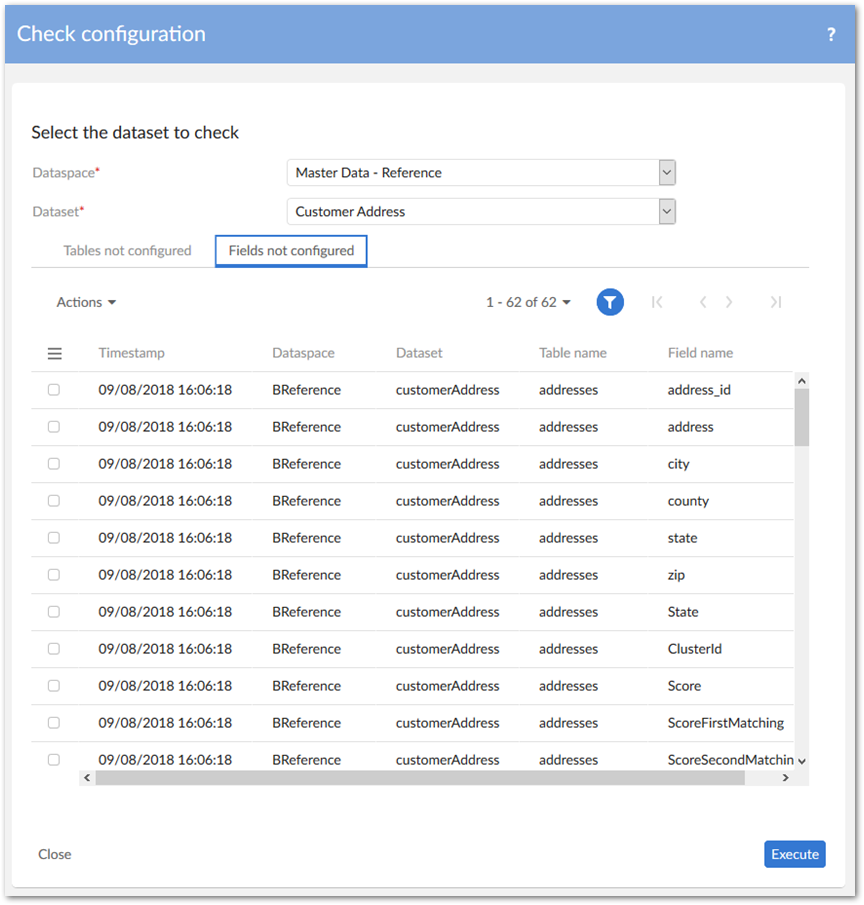
The results of the check are deleted for the user and the dataspace/dataset before the execution.
D.E.C. creation
The D.E.C. creation services allow you to automatically create Data Element Concepts. The D.E.C.'s primary key is automatically computed. To apply a business code, the Business code field must be fed manually after creation.
Update D.E.C. labels
After the creation of a D.E.C., if its name has been changed at the data model level, you can realign its label with the Update D.E.C. labels service. The same approach is applied to dataspaces, workflows, and Monitoring operations.
D.E.C. table filter
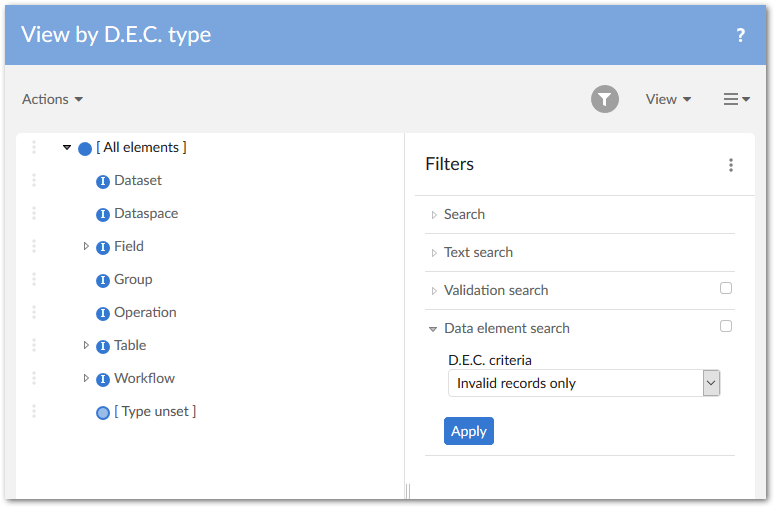
The Data element search filter block for the D.E.C. table allows you to query D.E.C. records in the following scenarios:
-
Query invalid records: D.E.C. configuration with empty or invalid data element(s).
-
Query by a specified data element: By choosing a D.E.C. type, you can select a certain data element to query all match D.E.C. records. It's also possible to query D.E.C. records of all child data elements.
D.E.C. purge
The D.E.C. purge service allows you to directly remove the selected D.E.C. records together with their relevant indicator records. The relevant reporting records will also be purged logically. With such records, the Removed property in the Flat data report table or Big data report table will be set to
'Yes'.
Update the hierarchy view by data models
Data Element Concepts can be organized to reflect the structures of all configured data models in the Hierarchy view by data model view.
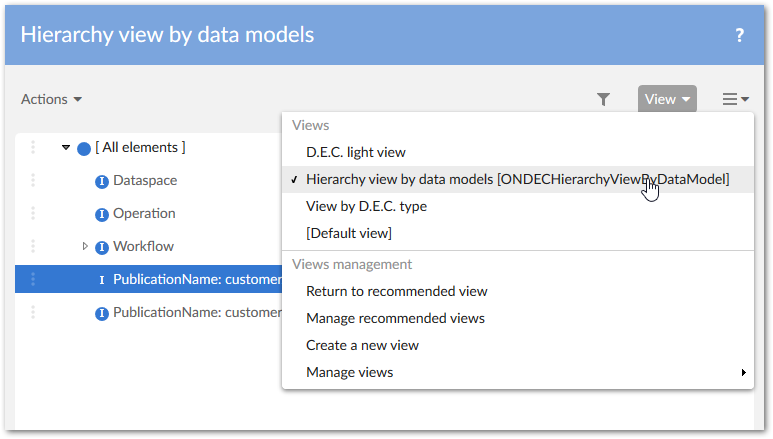
This view only includes the current Data Element Concepts after you've executed the Update the hierarchy view by data models service. This service also facilitates a similar hierarchy view for the Indicator on D.E.C. table.
Migrate to the 'Flat data report' table
From the GA 2.0.0 release, the Flat data report table replaces the Big data report table. From this release forward all built-in indicators only support this reporting table.
To assist with migration, the add-on provides the Migrate to the table service. We recommend running this service if upgrading from an older add-on version, or after adapting your custom indicators to work with the new table.
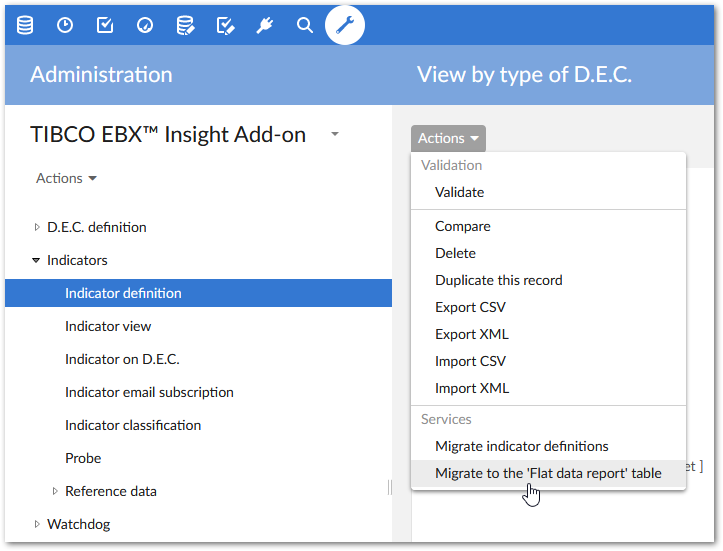
If you have administrative access, you can run the service on selected records or the entire Indicator definition table. Only those indicators that support the Flat data report will have their reporting data transferred. The current Big data report data will be kept intact.
Automatic creation of Indicators on D.E.C.
The Indicator on D.E.C. creation service allows you to select one indicator to attach to every D.E.C. for data storage.
This service is available on the Indicator on D.E.C. table.
Automatic creation of Indicator views declaration
The Create indicator view declaration service allows you to automatically create the view declaration for all missing indicator declarations.
This service is available on the Indicator view table.